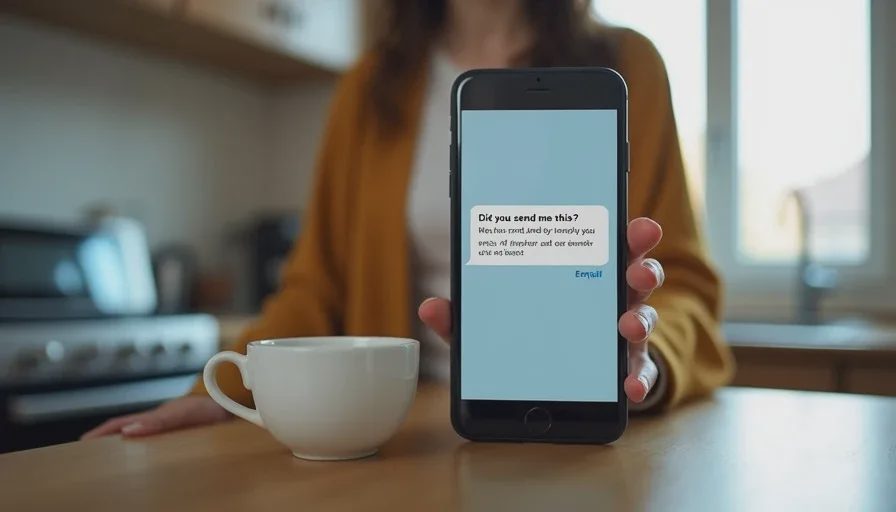
Your phone buzzes. A friend texts: “Did you send me this?” Attached is an email from your address — one you didn't write. You try to log in to check. Your password doesn't work. You try again. Nothing.
Or maybe you can still get in, but something is wrong. Emails you never sent are sitting in your Sent folder. Your contacts are receiving strange messages. There's a forwarding rule you didn't create.
This is account takeover. And if it's your email, it's more serious than you think.
I spent 17 years in bank fraud investigations. I've seen account takeover cases start with a hacked email and end with emptied bank accounts, fraudulent credit lines, and months of identity recovery. Email is the master key. It's where password resets go, where security alerts arrive, and where financial institutions send verification codes. When someone controls your inbox, they control the front door to your digital life.
The good news: there's a sequence that works. Follow it.
“Your email account is the master key. If it's compromised, every other account is at risk.”
— Rebecca Harlow
Key Takeaways
Your email account is the gateway to everything else. Password resets, security alerts, and financial notifications all flow through it. A compromised inbox means a compromised identity.
Secure your primary email first, then everything else. Change your password, revoke active sessions, check forwarding rules, and update recovery information.
The CFPB has clarified that fraudulently induced credential sharing can qualify as an unauthorized transfer under Regulation E — meaning if a scammer used your credentials to initiate a bank transfer, you may have liability protections.
Report to IdentityTheft.gov to get a personalized recovery plan. The FTC's system generates pre-filled letters and forms you can use with banks, credit bureaus, and debt collectors.
Recovery scammers target account takeover victims specifically. Anyone who contacts you offering to “recover” your account for a fee is running a second scam.
Why Email Takeover Is Different
Not all account takeovers are equal. A hacked social media account is annoying. A hacked email account is dangerous.
Here's why.
Your email address is the recovery point for almost every other account you own. When you forget a password, where does the reset link go? Your email. When your bank wants to verify a suspicious transaction, where does the alert go? Your email. When your credit card company sends a statement, where does it arrive? Your email.
An attacker with access to your inbox doesn't just read your mail. They can:
Reset passwords on your other accounts. They request a password reset, intercept the email, and lock you out of your banking, investment, or social media accounts.
Intercept security codes. Many services send one-time passcodes to your email. The attacker receives them before you do.
Impersonate you to your contacts. They send emails from your address asking friends and family for money or gift cards.
Monitor your activity. They see your purchase confirmations, travel plans, and personal communications.
Delete evidence. They remove password reset notifications before you notice them.
The New York Department of State's Division of Consumer Protection warns that account takeover fraud is a type of identity theft where scammers gain access to online accounts by stealing login credentials and using them to impersonate the account holder for fraudulent purposes. Once inside, they can withdraw money, make purchases, transfer funds, or open fraudulent lines of credit.
Email is the first domino. Knock it over, and everything else falls.
The 8-Step Recovery Sequence
Work through these steps in order. Do not skip ahead.
Step 1: Scan Your Devices for Malware
Before you change any passwords, make sure the device you're using is clean.
Hackers often gain access by infecting your computer or phone with malware that captures keystrokes or steals credentials. If you change your password on an infected device, the attacker simply captures the new one.
The FTC recommends updating or installing security software from a company you trust and setting it to update automatically. Run a full scan. Delete anything the software identifies as suspicious. Restart your computer.
If you installed remote-access software at a scammer's request — or if you're not sure — disconnect from the internet, then scan. Do not reconnect until the scan is complete.
Step 2: Regain Access to Your Email Account
If you can still log in, change your password immediately. Use a strong, unique password that you don't use anywhere else. Strong passwords should be at least 12 characters, include symbols, numbers, and both capital and lowercase letters, and avoid dictionary words or personal information like names or birthdays.
If you've been locked out — the attacker changed your password — use your email provider's official account recovery process. Do not use any link sent to you by email or text. Go directly to the provider's website and navigate to their recovery page yourself.
Once you're back in, sign out of all active sessions. This disconnects the attacker from any device they're still using.
Step 3: Check for Hidden Changes
The attacker may have left backdoors. Check these settings immediately:
Forwarding rules. Attackers often set up automatic forwarding so they continue receiving your emails even after you change your password. Look for any forwarding addresses you didn't create. The FTC specifically warns to check that your emails aren't being forwarded to someone else.
Recovery email and phone number. Your account recovery information is how you get back in if you're locked out. Verify that the recovery email address and phone number on file are yours — and remove any you don't recognize.
Security questions. Update your security questions if they've been changed. Choose questions whose answers aren't publicly available.
Linked accounts and app passwords. Revoke access for any third-party apps or services you don't recognize.
Email signature and filters. Check for unauthorized links added to your signature or filters created to hide specific messages.
Step 4: Enable Multi-Factor Authentication
Multi-factor authentication (MFA) adds a second layer of protection. Even if an attacker has your password, they can't get in without the second factor.
Use an authenticator app rather than SMS-based MFA when possible. SIM swapping — where an attacker transfers your phone number to a SIM card they control — can bypass text-message codes. An authenticator app generates codes on your device, which is much harder to intercept.
The SEC's Investor Alert recommends activating two-step or multi-factor verification on all financial accounts as a key protection against account takeover.
Step 5: Secure Your Financial Accounts
Now that your email is secured, move to your financial accounts. Prioritize in this order:
Bank accounts. Call your bank's fraud department using the number on your card or statement — not a number from an email. Tell them your email was compromised and ask them to flag your account for suspicious activity. Review recent transactions for anything you don't recognize.
Credit and debit cards. Request new card numbers. If your email was compromised, your card information may have been accessed through password resets or stored payment methods.
Investment accounts. Contact your broker-dealer or investment adviser immediately. Once fraudsters take control of an investment account, they may reset your password to lock you out, transfer funds, or execute unauthorized trades.
Payment apps. Check your Zelle, Venmo, Cash App, and PayPal accounts for unauthorized activity. Unlink any bank accounts or cards you don't recognize.
Other financial accounts. Contact your insurance company, retirement plan administrator, and any other institution where you have accounts that may be linked to your email.
Step 6: Report to IdentityTheft.gov
Go to IdentityTheft.gov — the FTC's official recovery website — and report what happened. The system will create a personalized recovery plan with step-by-step instructions tailored to your situation.
You'll receive an FTC Identity Theft Report, which is a legally recognized document. You can use it to:
Dispute fraudulent accounts with credit bureaus
Ask businesses to close accounts opened in your name
File a police report
Work with debt collectors
If you create an account on IdentityTheft.gov, the system will walk you through each recovery step, update your plan as needed, and pre-fill forms and letters for you.
Report in English at IdentityTheft.gov. For Spanish, visit RobodeIdentidad.gov. To report in another language, call 877-438-4338 and press 3. Interpreters are available from 9:00am to 5:00pm ET.
Step 7: Place a Fraud Alert and Freeze Your Credit
Contact one of the three credit bureaus and place a free, one-year fraud alert. That bureau must notify the other two. When you have a fraud alert on your credit report, a business must verify your identity before opening a new credit account in your name.
A credit freeze provides stronger protection. A freeze prevents creditors from accessing your credit file until you lift it, which stops new account fraud. You must place a freeze with each credit bureau separately.
Important: A freeze doesn't prevent identity thieves from taking over existing accounts. That's why securing your existing accounts — which you did in Step 5 — is essential.
Get your free credit reports at AnnualCreditReport.com. Federal law gives you the right to a free copy from each bureau every 12 months, and the bureaus now allow weekly free reports. Review each report for accounts or inquiries you don't recognize.
Step 8: File a Report with Local Police
File a police report with your local department. Many banks and insurance companies require a police report number before processing certain fraud claims. Bring your FTC Identity Theft Report, your ID, and any supporting documents like bills or IRS notices.
The report number itself has value, even if local police can't investigate directly.
The Regulation E Protection You May Not Know About
Here's where your situation gets legally interesting.
If a scammer gained access to your email, used it to reset your bank password, and then initiated a transfer from your account — that transfer may qualify as an unauthorized electronic fund transfer under Regulation E.
The CFPB has clarified that if a third party fraudulently induces you into sharing account access information — including login credentials or one-time codes — and then uses that information to initiate a transfer, that transfer can still qualify as unauthorized.
Under Regulation E, your liability for unauthorized transfers is capped:
When You Report | Your Maximum Liability |
|---|---|
Within 2 business days | $50 |
Within 60 days of statement | $500 |
After 60 days | Unlimited |
The bank must investigate and determine whether the transfer was unauthorized within 45 days of your notification. If it can't resolve the claim within 10 business days, it must provide provisional credit while the investigation continues.
Critical point: The CFPB has stated that your negligence cannot be used as the basis for imposing greater liability than Regulation E allows. Even if you reused a password, even if you clicked a phishing link, even if you “should have known better” — your liability caps still apply if the transaction qualifies as unauthorized.
When you call your bank, use this language: “My email account was taken over without my authorization. The attacker used my credentials to initiate a transfer from my account. I need to file a Regulation E dispute for an unauthorized transaction.”
The Recovery Scam Warning
The moment you start telling people your email was hacked, you become a target for a second scam.
Recovery scammers monitor social media, forums, and even the comments sections of news articles about data breaches. They contact victims claiming to be “investigators,” “recovery specialists,” or “government agents” who can get your accounts back — for a fee.
These are not real. Real investigators, real banks, and real government agencies never ask you to pay to recover your account or your money. The IC3 has warned that scammers impersonate FBI employees and contact victims offering to recover lost funds. The IC3 will never ask for payment, nor will they refer you to a company that charges for recovery services.
If someone contacts you out of the blue offering to recover your hacked email for a fee, stop. It's a scam.
Your Next Move
An email takeover feels like a violation. Someone was inside your private space, reading your messages, seeing your life. The shame and anger are real. But they don't help you recover.
What helps is a sequence. Scan your devices. Secure your email. Lock down your financial accounts. Report to IdentityTheft.gov. Freeze your credit. Document everything.
You may not be able to undo what happened. But you can make the next move count.
Your first move is to scan your device and change your email password. Do it now.
Frequently Asked Questions
My email provider says my account was “compromised.” What does that mean?
It means someone accessed your account without your permission. This could be through a stolen password, a phishing attack, malware, or a data breach. Treat it as an account takeover and follow the recovery steps above.
Should I close my compromised email account and start a new one?
In most cases, no. Closing your email account can make it harder to recover other accounts linked to it, and you may lose access to important messages. Secure the account instead. If you do decide to close it, first change the email address on all your financial accounts, subscriptions, and contacts.
What if I can't get back into my email account?
Use your provider's official account recovery process. This may involve verifying your identity through a backup email, phone number, or government-issued ID. Some providers also require a video selfie for identity verification. Be patient — recovery can take time.
How do I know if my email was part of a data breach?
Check HaveIBeenPwned.com to see if your email address appears in known data breaches. If it does, change your password immediately and enable multi-factor authentication.
What if the attacker already accessed my bank account?
Call your bank immediately. If the attacker used your credentials to initiate a transfer, you may have Regulation E protections. Say: “My email was compromised and the attacker used my credentials to initiate an unauthorized transfer.” Request written confirmation of your dispute and a reference number.
Can I place a credit freeze for my children too?
Yes. If your children's personal information may have been exposed, you can place a freeze on their credit files as well. Contact each credit bureau for instructions.
What if the scammer contacts me offering to help recover my account?
It's a scam. Real companies and government agencies never charge upfront fees to recover accounts. Block the contact, do not send any money or personal information, and report the attempt to the FTC.

No comments yet.